LAUNCHING SOON - EMAIL hello@typeit.com FOR EARLY ACCESS

Turn Drawing Chaos Into Organized Schedules

Stop spending hours manually sorting construction drawings.
Upload your documents, and get professionally formatted drawing schedules in minutes.

ON TRACK 0.8
Type It document processing interface showing organized drawing schedules
Create your business voice agent instantly

Stop wasting hours on document admin

You didn't get into construction to spend your day organizing paperwork. Yet here you are, manually typing drawing numbers, dates, and revision codes into spreadsheets.

2-4 hours

Average time spent per package manually

23%

Error rate in manual data entry

20-50

Drawings in a typical package

From chaos to organized in 3 simple steps

step 1

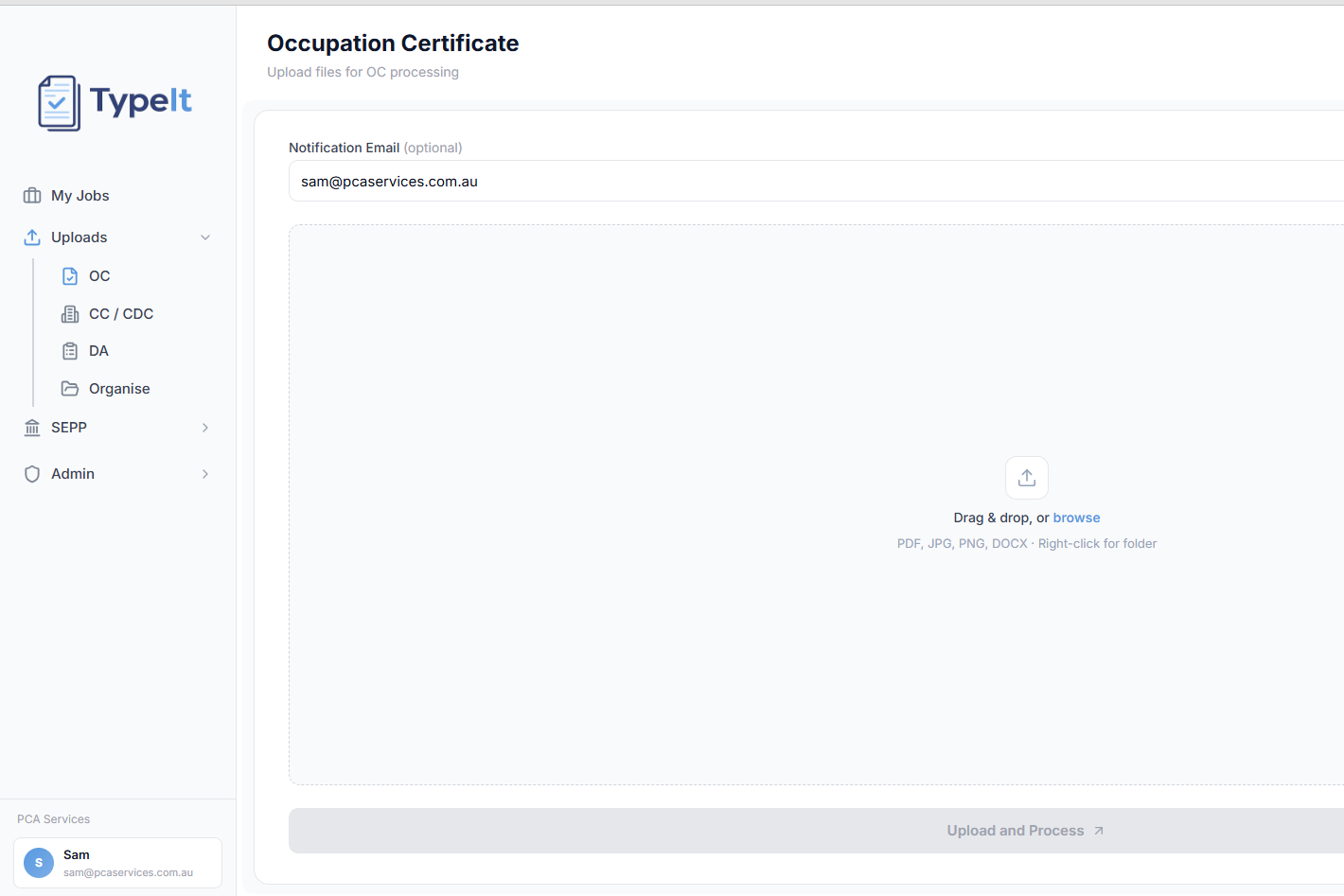
Upload your documents

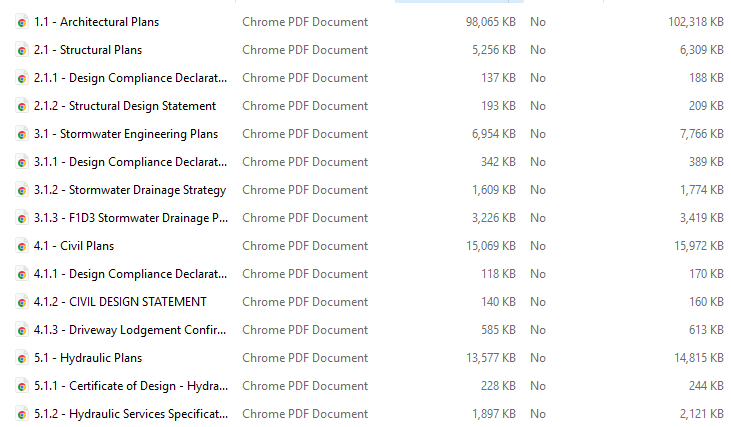
Drag and drop your ZIP file or folder containing all your construction drawings, certificates, and plans. We handle PDFs of any size.

1
2
step 2

AI extracts everything

Our AI reads each drawing, pulling out numbers, names, dates, and revisions from title blocks—even when formats are inconsistent.

step 3

Download formatted schedules

Get professionally formatted Word documents, organized by discipline, ready to submit or print. Duplicates removed, tables sorted, margins perfect.

3
Process your first package Try it free in under 5 minutes

Reads any drawing format

Title blocks in different locations? Handwritten notes? Multiple consultants? Our AI understands them all and extracts the information you need—drawing numbers, dates, revisions, and who prepared them.

Sample Drawing Title Block

Drawing No: A-101
Date: 15/01/2024
Name: Ground Floor Plan
Revision: Rev C

✓ Automatically extracted in seconds

Organizes by discipline automatically

No more manually sorting through hundreds of pages. Architectural, structural, hydraulic, electrical—everything automatically grouped into the right tables, ready for your CC or OC submission.

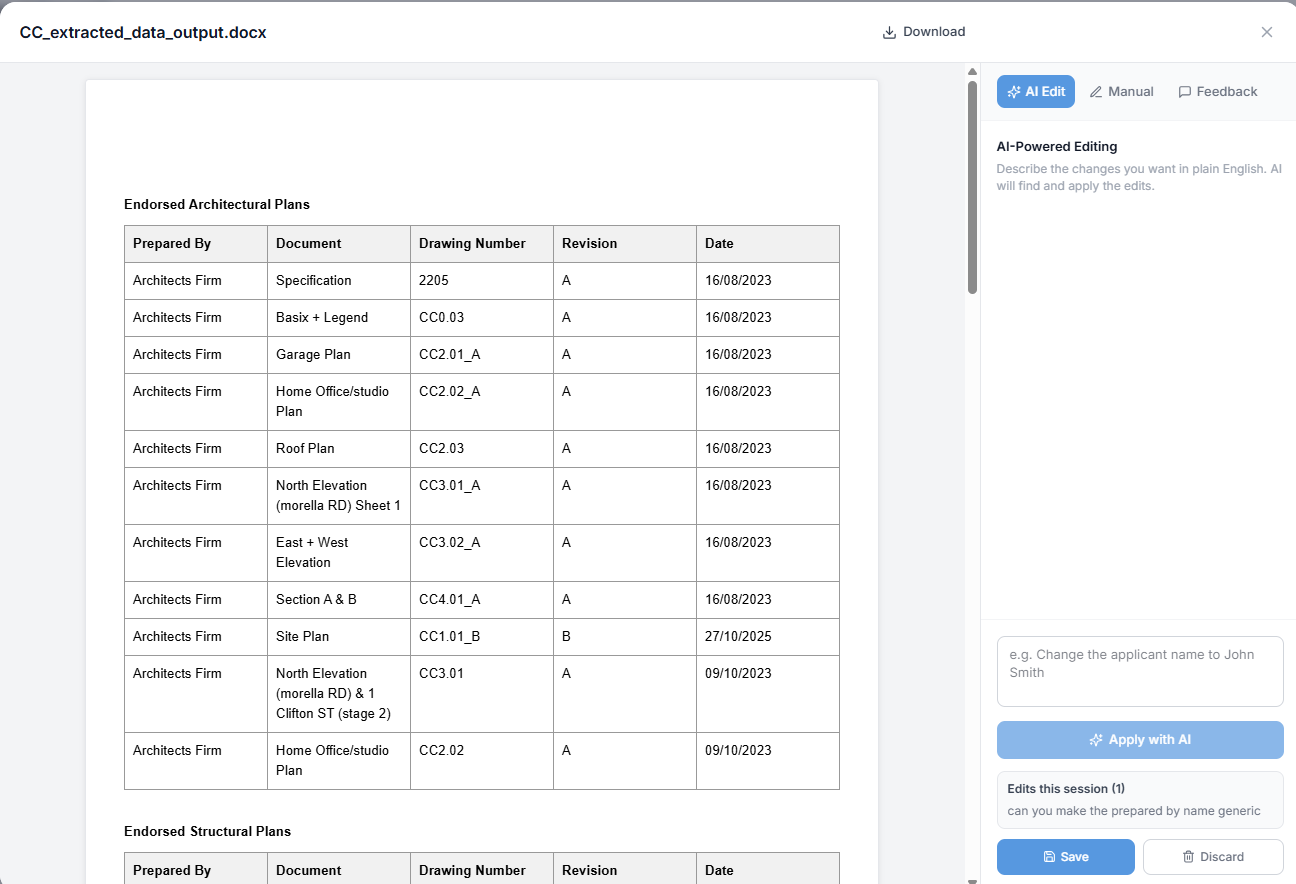
Endorsed Architectural Plans

12 drawings sorted

Endorsed Structural Plans

8 drawings sorted

Endorsed Hydraulic Plans

6 drawings sorted

Creates submission-ready documents

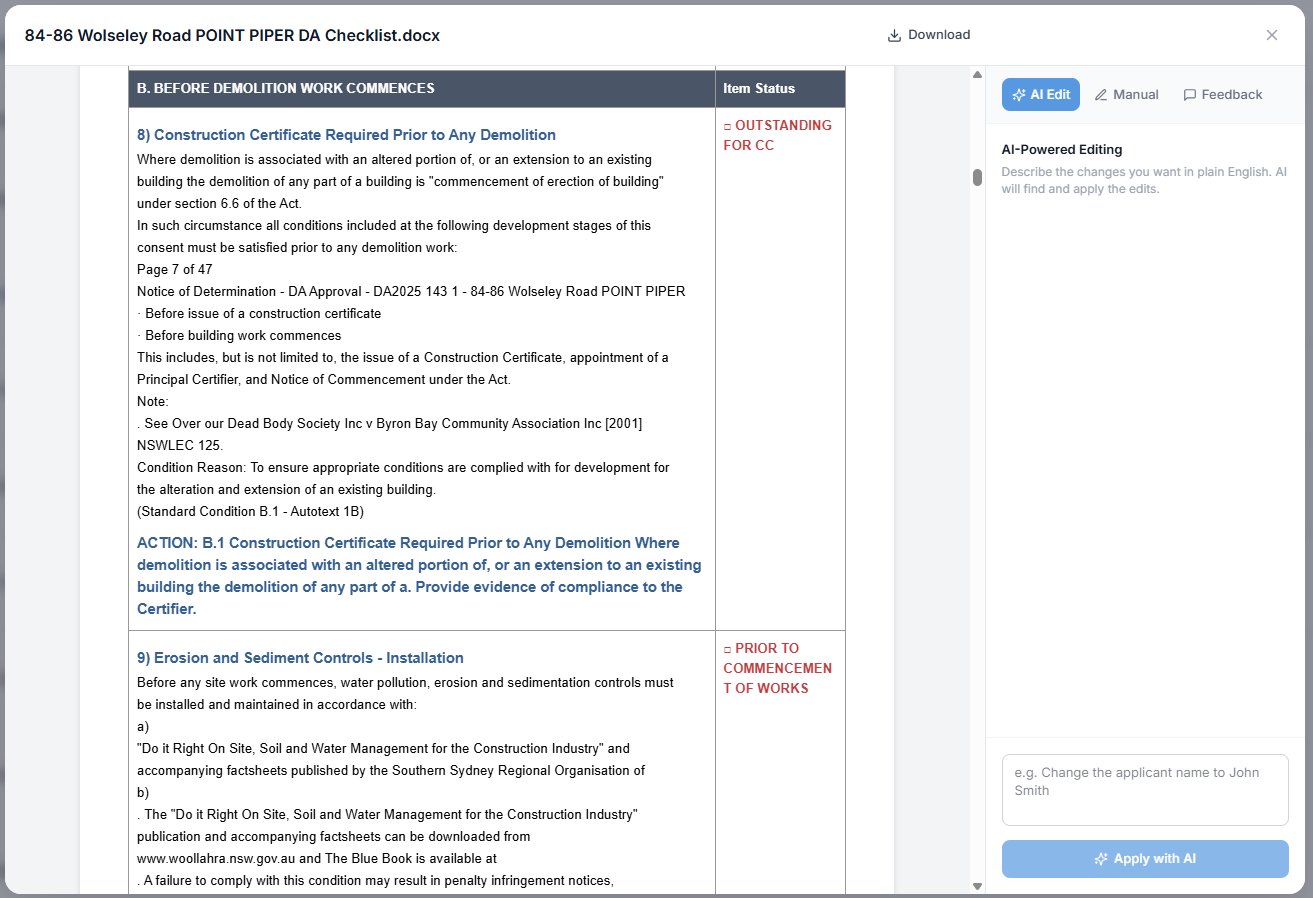
Get professionally formatted Word documents with correct margins, properly sized columns, and organized tables. Just download, review, and submit. No reformatting needed.

Drawing_Schedule_CC.docx

Ready to submit • 2.4 MB

  • ✓ Correct A4 margins
  • ✓ Organized by discipline
  • ✓ Duplicates removed
  • ✓ Professional formatting

Your documents are secure

End-to-end encryption

End-to-end encryption

Your drawings are encrypted during upload and while being processed. Only you can access your documents and extracted data.

No AI training on your data

No AI training on your data

Your project documents are never used to train AI models. Your data is processed, returned to you, and never shared or reused.

Built for construction professionals

Save time on every project, regardless of your role

Private Certifiers

Quickly compile drawing schedules for DA, CDC, and CC applications. Verify drawing completeness and track revisions with confidence.

Architects

Auto-generate drawing registers before submission. Compile transmittal lists in seconds and ensure nothing is missing from your package.

Engineers & Consultants

Extract schedules from multi-discipline packages. Handle structural, hydraulic, mechanical, and electrical drawings in one upload.

Council & Approval Bodies

Process submitted documentation efficiently. Extract structured data for record-keeping and audit submitted drawing packages quickly.

Project Managers

Keep track of drawing versions across trades. Maintain organized records and verify that all consultants have submitted current drawings.

Frequently asked questions

We accept ZIP files containing PDFs, or individual PDF uploads. Whether your drawings are scanned or digitally created, our AI can read them. Most construction document packages work perfectly—just upload and let us handle the rest.

Our AI achieves 95%+ accuracy on standard construction drawings. It's trained to handle different title block layouts, handwriting, and inconsistent formats. We recommend a quick manual review before final submission, but most data is extracted perfectly on the first try.

Most packages are processed in 2-5 minutes, depending on the number of drawings. A typical 20-30 drawing package is ready in under 3 minutes. You'll receive an email when your document is ready to download.

Yes! You can review and edit all extracted data in our web interface before generating the final Word document. Fix any errors, add missing information, or rearrange tables—then download when you're happy with everything.

Files are automatically deleted after 30 days. You can also delete them immediately after downloading your output. We use end-to-end encryption and never use your documents for AI training or share them with third parties.

Currently, we specialize in construction drawings and compliance certificates. We're expanding to support specifications, reports, and other construction documentation. Email us if there's a specific document type you need—your feedback shapes our roadmap.

Stop wasting time on manual data entry

Process your first construction package in under 5 minutes. No credit card required.